

Do You Have Any Tips About Load Balancing, Failover and Clustering for ActiveADAPTER?

Active Directory Send Adapter

If you create multiple host instances for the host that acts as the send handler for ActiveADAPTER, BizTalk will generally take care of failover for you with send ports.  BizTalk will distribute messages to the host instances in a round robin fashion, and if one is down it will try the next. See your BizTalk documentation for more information.

Active Directory Receive Adapter

The best way to think about ActiveADAPTER receive locations and failover is to treat them like FTP receive locations. Microsoft has a number of documents dealing with failover and clustering solutions for FTP receive locations and these architectures will typically apply to ActiveADAPTER receive locations. See your BizTalk documentation for more information.

The use of Host load balancing in NOT recommended for receive locations. The queries performed by your ActiveADAPTER receive locations do not lock Active Directory results and if run on different host instances as part of load balancing may result in duplicate messages into your receive ports.

Clustering

As mentioned above, the best way to think about ActiveADAPTER in terms of clustering architecture is like the FTP adapter. There are a couple of useful resources about adapters and clustering at:

http://msdn.microsoft.com/en-us/library/aa561801(v=bts.20).aspx

http://kentweare.blogspot.com/2009/04/clustering-biztalk-hosts.html

In the second article Kent Weare discusses Active/Passive clustering that can offer redundancy with just the one BizTalk host – “host clustering”.
FAQs
What will ActiveADAPTER add to what I see in BizTalk Server?

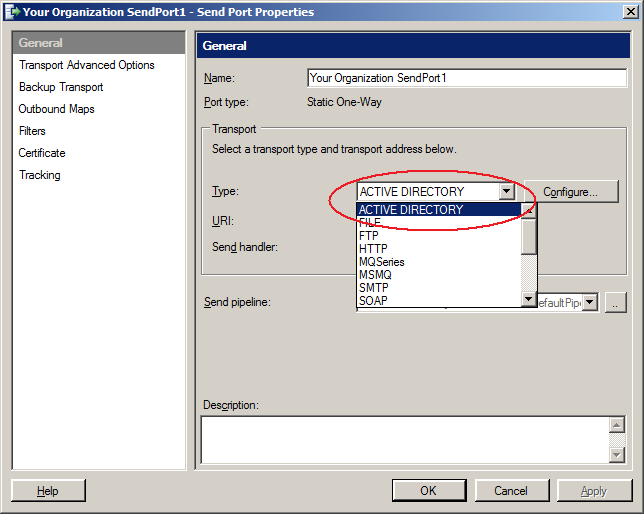
After installing ActiveADAPTER you will see a new transport type option when configuring a send port or receive location. With BizTalk send ports, you can create, delete, rename, move, and modify Active Directory objects. With BizTalk receive locations, you can draw XML messages into BizTalk containing Active Directory query results.

On your Programs menu you will also have an ActiveADAPTER program group containing shortcuts to documentation, sample orchestrations and schemas to get you developing your solutions quickly.

See the entire answer

What is ActiveADAPTER?

ActiveADAPTER is a set of BizTalk adapters for working with Active Directory from BizTalk Server. We offer you:

  • A BizTalk Send Adapter that you can use to:
    • Create, move and delete Active Directory objects
    • Change object properties such as email addresses, office locations, home folder locations...
    • Set user passwords and add objects to security groups
  • A BizTalk Receive Adapter that you can use to query Active Directory and receive the results in an XML message into BizTalk Server
  • The input and output schemas for all ActiveADAPTER operations
  • Sample orchestrations and example XML input
  • Complete documentation

See the entire answer

Which properties of Active Directory objects can ActiveADAPTER modify?

Virtually all properties. ActiveADAPTER can update, add to, or clear all properties that are compatible with string, number and byte array data types. A number of special properties are also integrated - objectGUID and objectSid, for example. This covers virtually all the properties you can see using Active Directory Users and Computers.

If there are specific properties you wish to use that you are having trouble with, let us know!

See the entire answer