

Is there a WCF version of ActiveADAPTER?
Yes. ActiveADAPTER is available as a Windows Communication Foundation (WCF) service. So with or without BizTalk Server, you can query and update Active Directory with ActiveADAPTER
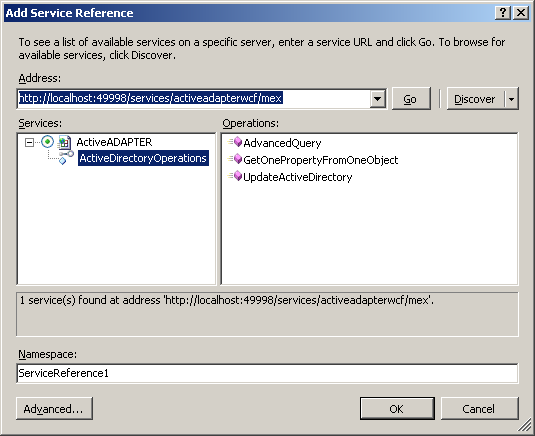
ActiveADAPTER WCF exposes essentially the same functionality as our Active Directory Send and Receive Adapters.
ActiveADAPTER WCF services can be consumed by BizTalk Server, but BizTalk Server is not required.
Like an evaluation? Get in touch through our contact page.
Will the ActiveADAPTER Send Adapter return error information back to my orchestration?
Yes. The adapter will return any exceptions back to your application AFTER any retries you have configured have been done.
Within your orchestration you can use Scope shapes to catch exceptions. In your exception handlers you can retrieve the error description to determine which way to branch.
Sample orchestrations that illustrate exception handing are included in the ActiveADAPTER Samples folder.
Can ActiveADAPTER help me retrieve information from Active Directory?
Yes. The Active Directory Receive Adapter can be used to create a Receive Location that queries Active Directory at regular intervals and submit the results to your BizTalk application. A message can be submitted to BizTalk at every polling interval, or only when a change occurs in the query results (this is the "On Change Only" option on the Active Directory Receive Adapter property configuration).
In addition, the Active Directory Send Adapter can be used with a Solicit-Response Send Port to perform an on-demand query. You just send your query parameters to the send port in a message that conforms to the supplied schema, and receive your results back in a new message.